How to Automate Sales Follow-Up (Without Sounding Like a Robot)
A step-by-step guide to setting up automated sales follow-up sequences that feel human. Includes cadence templates and how to avoid deliverability pitfalls.
What "automate sales follow-up" actually means
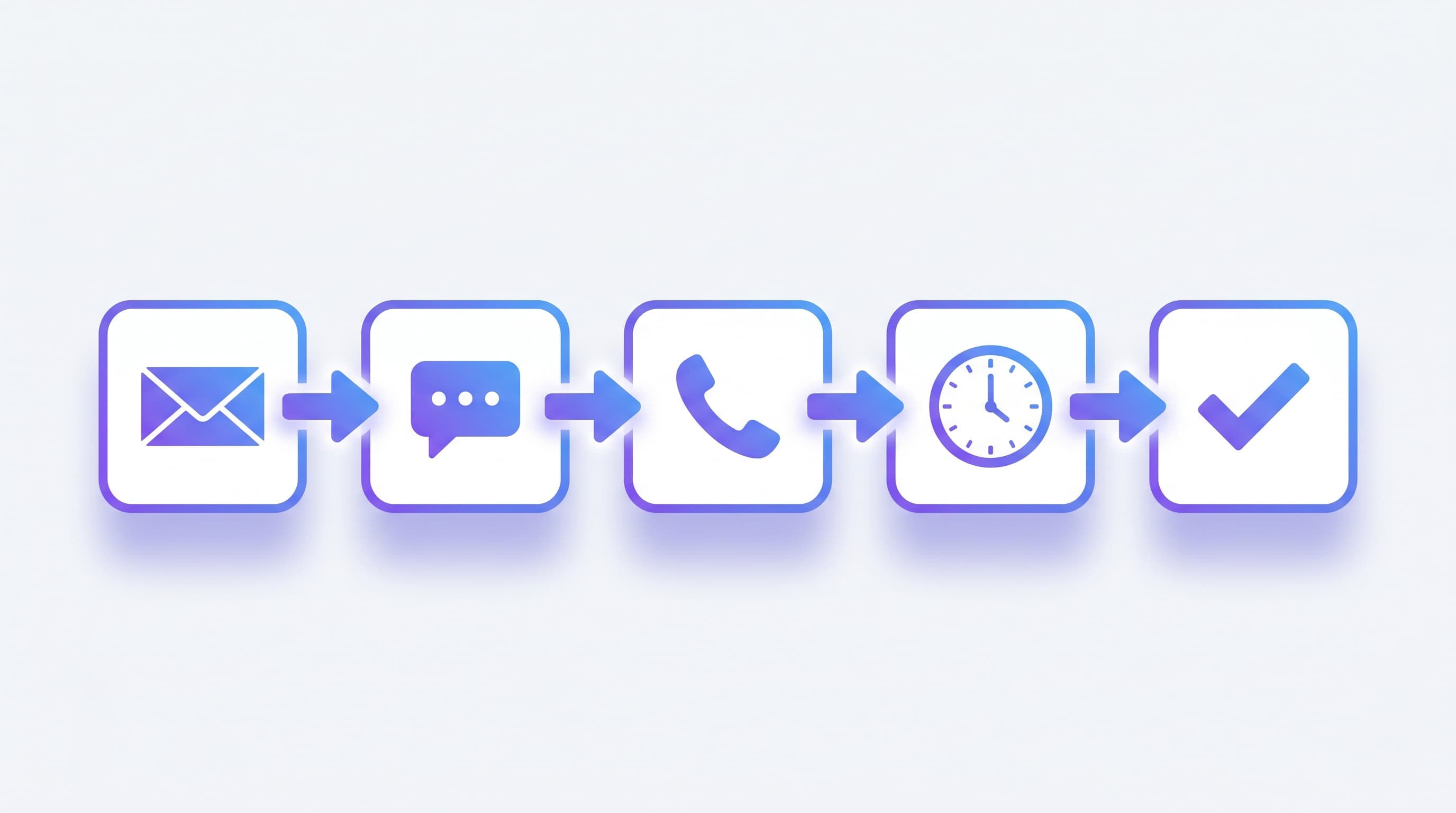
Automating sales follow-up means a system, not a person, sends the right message at the right time after a lead first comes in. The lead fills out a form, and a sequence triggers: an instant email, an SMS five minutes later, a call attempt within the hour, then spaced touches over the next two weeks. Done well, every lead gets a response in seconds — and your reps only spend time on the conversations that actually started.
This is the practical answer to one of the highest-ROI problems in sales: most leads aren't lost because of price or product. They're lost because nobody followed up fast enough.
The 5-minute rule (and why automation is the only way to hit it)
The single most consistent finding in lead-response research, going back over a decade.
The Harvard Business Review study by James Oldroyd (2011) tracked tens of thousands of inbound leads and found:
- Companies responding within 1 hour were 7× more likely to have a meaningful conversation than those responding in 1–24 hours
- They were 60× more likely than those responding after 24 hours
The follow-up InsideSales / Lead Response Management research (updated 2023) made it sharper: leads contacted within 5 minutes were 21× more likely to qualify than leads contacted at 30 minutes.
There is no way to consistently hit a 5-minute response time with manual processes. People are in meetings. People sleep. People go on jobs. Automation is the only mechanism that hits that window every time.
A 7-touch follow-up cadence template
The default cadence we recommend for service businesses and B2B SaaS. Adjust timing based on your sales cycle (faster for impulse purchases, slower for considered buys).
| # | Day | Channel | What it does |
|---|---|---|---|
| 1 | Day 0, minute 1 | Acknowledges inquiry, sets expectation, links to relevant resource | |
| 2 | Day 0, minute 5 | SMS (if phone provided) | Short personal note, asks one question |
| 3 | Day 0, hour 1 | Call attempt | Live conversation if possible; voicemail if not |
| 4 | Day 2 | Case study or social proof relevant to inquiry | |
| 5 | Day 5 | SMS | Direct ask: "Should we set up a 15-min call?" |
| 6 | Day 9 | Educational content (FAQ, comparison guide) | |
| 7 | Day 14 | Final ask + clear "should I close this?" line |
After touch 7 with no engagement, drop to a long-term nurture (monthly newsletter, no direct ask). Keep the contact in the CRM; don't delete.
The cadence pauses immediately on engagement (reply, meeting booked, link click). The lead transitions to a human conversation, not the next mechanical touch.
How to write copy that doesn't sound like a robot
Six rules that separate human-feeling automated copy from spam.
1. Reference the actual inquiry
"Thanks for filling out our form" → spam-feeling.
"Saw your inquiry about a 4-bedroom move from Boston to Austin in mid-July — happy to walk through quote options" → personal.
The CRM has the inquiry text. Use merge fields to surface specifics, not just "first name."
2. Send from a real person
support@yourcompany.com → low open rates, low trust.
Sarah Chen <sarah@yourcompany.com> → much higher open rate, much higher reply rate.
Even when the message is automated, the from-line should be a real person. Pair the from-name with a consistent branded email signature so every send reinforces your brand — use our free generator if you don't have one yet.
3. Short over long
The first follow-up message should be 3–5 sentences max. Long messages signal "automated marketing." Short messages feel like a quick personal note.
4. One question per message
Every message ends with one specific question. "Are you looking at this for residential or commercial?" Not "Let me know if you have any questions" — that gets ignored.
5. No "just checking in"
The most-blacklisted phrase in sales follow-up. If you have nothing new to say, don't send the message. Every touch needs a reason: case study, FAQ, deadline, calendar link.
6. Plain text, mostly
Beautifully designed HTML emails are obvious marketing. Plain-text-style emails (with a small signature image at the bottom) feel personal and have better deliverability.
Personalize at scale: the AI assist
Modern AI CRMs draft personalized follow-ups in 2 seconds based on the lead's inquiry, the company's website (auto-enriched), and the rep's tone. The pattern most teams settle into:
- AI drafts the first 3 touches
- Human reviews and tweaks before send
- AI handles touches 4–7 fully automated, with engagement triggers paused
This produces the speed of full automation with the voice of a human. The cost is roughly 30 seconds of review per message — far less than writing from scratch.
Deliverability: the silent killer
Even the best cadence fails if your emails go to spam. A non-negotiable checklist:
Authenticate your domain
- SPF. Tells receiving servers which IPs can send for your domain.
- DKIM. Cryptographic signature verifying the email wasn't tampered with.
- DMARC. Policy telling receivers what to do if SPF/DKIM fails.
All three should be set up before you send the first automated email. Your CRM provider will guide you. Skipping this puts most of your sends in spam from day one.
Warm up new sending domains
A brand-new domain that suddenly sends 1,000 emails/day looks like spam. Warm it up: start at 20–30 sends a day, double weekly. Most automation tools have built-in warm-up.
Keep your list clean
- Suppress hard bounces immediately (and don't retry)
- Suppress unengaged contacts (no opens in 90 days) from cold sequences
- Honor unsubscribes within minutes (legal requirement plus good practice)
Pace your sends
10,000 emails sent in 10 minutes triggers spam filters. The same 10,000 sent over 8 hours doesn't. Most CRMs handle pacing automatically.
Monitor inbox placement
Tools like GlockApps and Mail-Tester give you real placement data — what % of sends actually hit the inbox vs spam vs missing. Run a check after every major sequence change.
Metrics that matter
Watch these four weekly. If any drift, the sequence is broken.
| Metric | Target | What it tells you |
|---|---|---|
| Open rate | 30–60% (warm inbound) | Subject line + sender reputation |
| Reply rate | 5–15% | Body + relevance + ask |
| Meetings booked / 100 leads | 10–20% | Whole funnel quality |
| Unsubscribe rate per send | <1% | Audience match + frequency |
Reply rate is the most important. A 50% open rate with a 1% reply rate means people see your emails but find no reason to respond — your copy is the problem, not your subject line.
SMS automation: the rules are different
SMS has higher open rates (95%+ vs 30–40% for email) but much higher complaint sensitivity. Three rules:
- Get explicit opt-in. "By submitting this form, you agree to receive SMS." Required by TCPA in the US.
- Identify yourself in every message. "This is Sarah from [Company]" — not "Hi! Quick question."
- STOP must work. Every message must include a clear opt-out path. The phone carriers enforce this; ignoring it gets your number flagged within days.
A typical SMS in a follow-up cadence: 2–3 messages over 2 weeks, no more. Past that, complaint rates climb fast.
Common pitfalls
Sending the second touch 30 minutes after the first. Looks like robot. Space touches by days, not hours.
Same content, different subject line. People notice. Each message should add new value, not repeat.
Not pausing on engagement. When the lead replies, the sequence must stop immediately. Sending touch #3 after they've already booked a call breaks trust.
Mass-sending from a personal Gmail. Looks great until your domain gets flagged and your inbox stops being delivered to actual customers. Use a dedicated sending domain (subdomain) for automated sends.
Skipping the human handoff. The whole point of automation is to surface conversations. When a reply lands, a human should see it within 5 minutes — not the next morning.
Treating the cadence as set-and-forget. Reply rates drift. Spam classifiers update. Subject lines get stale. Review the cadence quarterly.
When NOT to automate follow-up
A few cases where manual still wins:
- Enterprise sales (>$50K deal size). A custom personal email beats any automation. Use automation for the small "I'll send you the case study" step, not the strategic message.
- Very low-volume B2B (under 10 leads/week). The setup cost isn't justified. Just send the follow-up yourself.
- Highly sensitive industries (legal, medical, regulated). Compliance constraints often make automation impractical. Check first.
For everyone else — high-volume B2C service businesses, agencies, SMB SaaS — the math is overwhelming.
How automation pays for itself
A typical small business runs about 200 leads a month through inbound channels. Without automation, ~30% get a response within an hour and ~40% get any second touch at all. With automation hitting the 5-minute rule:
- 100% of leads get a first response within 5 minutes
- 100% get the full 7-touch sequence
- Conversion rate roughly doubles (consistent with the 21× qualification finding)
If your average customer is worth $1,000 and you close 5% of leads instead of 2.5%, that's an extra 5 customers/month, $5,000/month. The automation tooling costs $50–$200/month. Payback period: a few weeks.
For more on the broader lifecycle that follow-up sits inside, see the lead management guide.
The bottom line
Automated follow-up isn't a marketing tool. It's the mechanism that makes a small sales team behave like a big one — every lead worked, every touch on time, no leakage from "I forgot to send the follow-up."
The hard part isn't the automation; it's the copy. Write follow-ups that reference the inquiry, send from a real person, and pause on engagement. Then let the system handle the consistency.
Want a CRM that handles all of this in one place? Try Easyly Automations — sequence builder, deliverability monitoring, and AI-drafted personal touches in one workflow.
Frequently asked questions
How long should a sales follow-up sequence be?
Email, SMS, or call — which channel converts best for follow-up?
How do I keep automated follow-ups from feeling like spam?
Should the first follow-up message be automated or personal?
How do I measure if my follow-up automation is working?
About the author
Easyly Team
The Easyly Team writes about AI, CRM, and running a small service business.