Lead Routing: How to Assign Leads to the Right Rep Automatically (2026)
Lead routing sends every new lead to the best-matched, fastest-available rep automatically. Here's how it works, the routing models compared, and how to set it up.
What is lead routing?
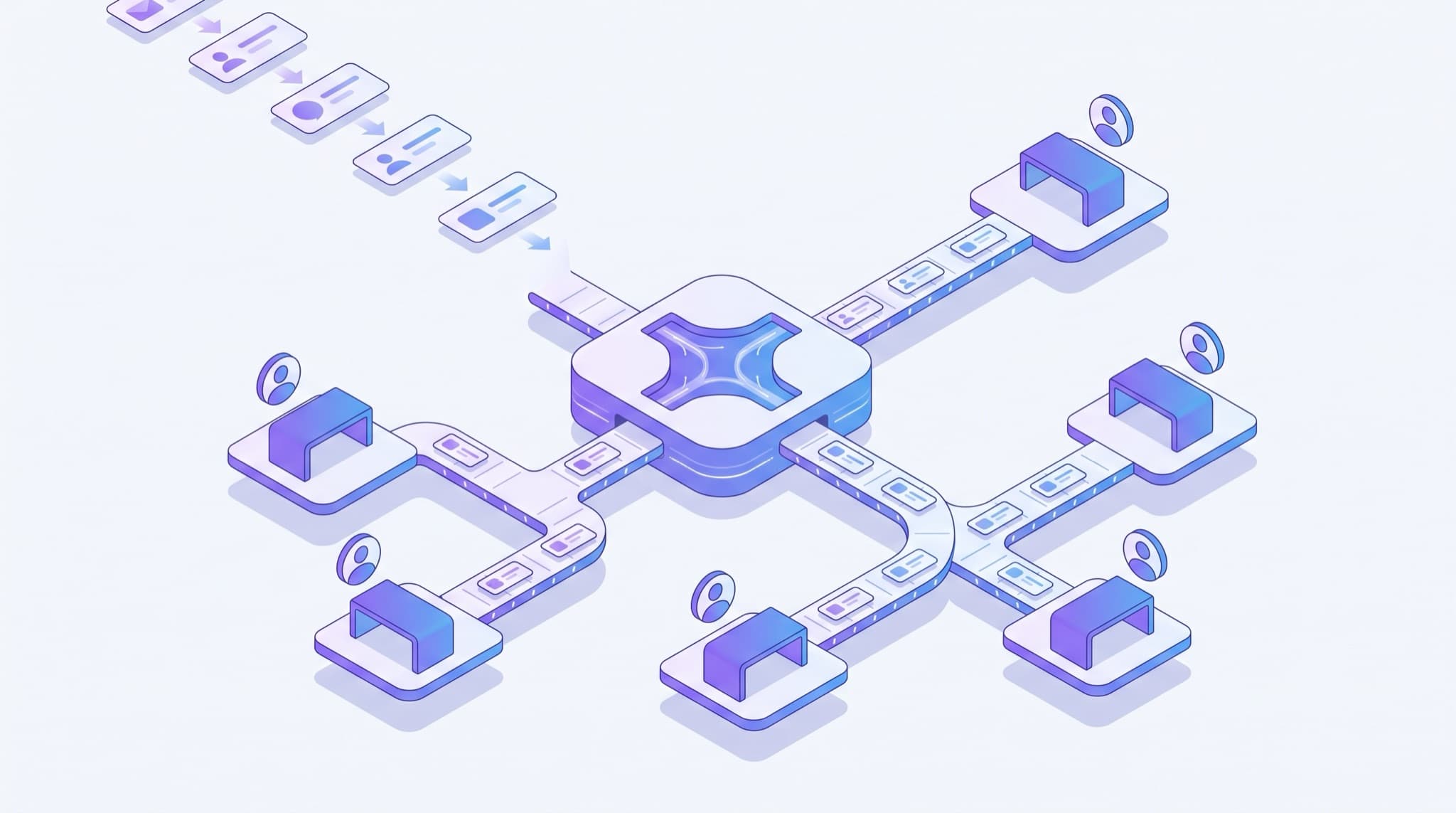
Lead routing is the process of automatically assigning every incoming lead to the right salesperson based on rules like territory, product interest, deal size, or availability. Done well, it gets each lead to the best-matched, fastest-available rep in seconds — before interest cools and a competitor gets there first.
It sounds like plumbing, and in a sense it is. But it's the plumbing that decides whether a hot lead gets a fast, relevant first call or sits in a shared inbox until someone notices. Routing is the connective tissue between capturing a lead and actually working it — the step that sits right after lead qualification and right before follow-up in a healthy lead management process.
How does lead routing work?
At its core, lead routing takes two inputs — the lead's attributes and your reps' availability — and produces one output: an owner. The mechanics run in four steps.
- Capture and enrich. A lead comes in from a form, ad, chat, or phone call. The system records its attributes: location, source, product interest, company size, budget signals.
- Evaluate the rules. The routing engine checks the lead against your assignment logic — "leads from Texas go to the West team," "enterprise inquiries go to senior reps," "everyone else round-robins."
- Check availability. Good routing skips reps who are out of office, over capacity, or off the clock, so a lead never lands in a dead queue.
- Assign and alert. The lead is stamped with an owner, and that rep gets an instant notification — ideally one that reaches them on their phone, not just an email they'll see tomorrow.
The whole loop should take seconds. The reason it matters is timing: a lead routed in ten seconds can be called in two minutes, while a lead routed by hand the next morning is often already gone.
Lead routing models compared
There's no single "best" routing model — the right one depends on team size, how specialized your reps are, and how much data you have. Here's how the common approaches stack up.
| Routing model | How it assigns leads | Best for | Trade-off |
|---|---|---|---|
| Round-robin | Evenly, in rotation, one rep after the next | Small teams where any rep can handle any lead | Ignores fit — a specialist lead may land with a generalist |
| Rules / territory-based | By matching attributes (region, industry, product) | Teams with defined territories or specializations | Needs upkeep as territories and staff change |
| Weighted / capacity-based | More leads to higher performers or those with room | Teams with uneven rep capacity or seniority | Can overload top reps or feel unfair if untuned |
| Account-based | Existing accounts routed to their owner | Businesses with repeat customers or named accounts | Requires clean account data to match reliably |
| AI / predictive | By predicted fit and likelihood to convert | Higher-volume teams with historical deal data | Needs enough clean data to beat simple rules |
Most small teams start with round-robin because it's fair and effortless. As specialization grows — a rep who knows plumbing leads, another who handles commercial accounts — layering rules on top of round-robin usually beats either one alone. AI routing enters the picture once you have enough closed-deal history for AI lead scoring to reliably predict which rep gives a lead its best shot.
Manual vs. automated lead routing
The bigger decision isn't which model — it's whether routing happens automatically at all. Plenty of small teams still route by hand: a manager skims new leads each morning and forwards them. Here's what that costs.
| Manual routing | Automated routing | |
|---|---|---|
| Speed to assignment | Minutes to hours (or overnight) | Seconds |
| Consistency | Varies by who's triaging | Same rules every time |
| Fairness | Prone to cherry-picking | Enforced by the system |
| Works after hours | No — leads wait for a human | Yes — routes 24/7 |
| Scales with volume | Breaks down as leads grow | Handles spikes automatically |
| Audit trail | Easy to lose track | Every assignment logged |
The hidden tax of manual routing is the gap between when a lead arrives and when a human gets around to assigning it. That gap is dead time — and dead time is where deals quietly die. Automating routing is often the cheapest way to shrink your lead response time without hiring anyone or working longer hours.
Why lead routing speed matters
Routing isn't just about tidiness — it's about hitting the narrow window when a lead is most winnable. The evidence here is old, consistent, and worth taking seriously.
The foundational study is Harvard Business Review's "The Short Life of Online Sales Leads." Analyzing thousands of leads, the researchers found that firms trying to contact a lead within an hour were nearly seven times more likely to have a meaningful conversation with a decision-maker than those who waited even 60 minutes — and 60 times more likely than firms that waited 24 hours or more (Harvard Business Review, 2011). Every minute a lead spends unassigned in a queue eats directly into that window.
Routing is the step that makes fast response possible. You can't respond in five minutes to a lead nobody owns. And routing to the right rep compounds the effect: the AI and prioritization tooling that supports this is now mainstream, not experimental. According to Salesforce's State of Sales report (2024), 81% of sales teams are experimenting with or have fully implemented AI in their workflows — much of it aimed at getting the right lead to the right rep faster.
The prioritization payoff shows up in the numbers too. Gartner found that sales organizations providing AI-enabled next-best-action guidance are 2.6 times more likely to achieve commercial growth than those that don't (Gartner, May 2026). Smart routing is the first of those next-best actions: it decides who acts, so the clock starts on the right desk.
How to set up lead routing for a small business
You don't need enterprise software or a RevOps hire. The practical path for a small team looks like this.
1. Map your leads to your reps
Before you automate anything, write down the rules you already follow informally. Do certain regions, services, or lead sources naturally belong to certain people? That informal map is your first ruleset. If no such split exists, start with plain round-robin.
2. Pick the simplest model that fits
Resist the urge to build elaborate logic on day one. Most teams are well served by round-robin plus one or two rules (for example, "commercial inquiries go to Sam"). You can always add nuance once you see where leads land poorly.
3. Put it in your CRM
Routing lives where your lead data lives. Configure assignment rules or round-robin inside your CRM so every new lead is stamped with an owner the instant it arrives. Many small-business CRMs, including Easyly's CRM, do this without custom code.
4. Wire assignment to an instant alert
Assignment without notification is half a system. The moment a lead is routed, the owning rep should get a real-time alert. For the hottest leads, you can even trigger an immediate first touch from an AI voice agent so no lead waits in a queue during a busy afternoon or after hours.
5. Add a fallback and review quarterly
Decide what happens when the assigned rep doesn't act — reassign after 10 minutes, escalate to a manager, or round-robin to the next available person. Then, once a quarter, check whether your rules still match reality. Territories shift, people leave, and stale routing rules quietly send leads into the void.
Common lead routing mistakes
Routing to unavailable reps. The most common failure is assigning a lead to someone who's on vacation or off the clock. Always check availability and build in a reassignment fallback.
No speed on the handoff. A lead can be routed perfectly and still go cold if the alert lands in an inbox nobody checks until tomorrow. Route fast and notify fast.
Over-engineering the rules. Elaborate multi-condition routing looks impressive and breaks constantly. Start simple; add complexity only when a real misrouting problem justifies it.
Cherry-picking. When routing is manual, reps grab the easy leads and leave the rest. Automated, enforced routing removes the temptation and keeps distribution fair.
Set-and-forget. Routing rules written a year ago reflect a team that no longer exists. Unreviewed rules are how leads get assigned to a rep who left in March.
Routing without qualifying first. Sending raw, unqualified leads straight to closers wastes selling time. A light qualification step before routing keeps reps focused on leads worth their hour.
The bottom line
Lead routing is the quiet mechanism that decides whether your speed-to-lead and follow-up efforts ever get a chance to work. Get the right lead to the right, available rep in seconds, pair it with an instant alert, and you remove the single most common source of dead time in a sales process — the gap between "a lead arrived" and "someone owns it."
For a small team, the highest-leverage version is also the simplest: round-robin plus a rule or two, configured in your CRM, backed by a reassignment fallback and reviewed every quarter. That alone shrinks response time, enforces fairness, and stops leads from slipping through the cracks. To see how routing fits alongside scoring, qualification, nurturing, and follow-up, start with the complete lead management guide.
Frequently asked questions
What is lead routing?
What is the difference between round-robin and rules-based lead routing?
Does lead routing require a CRM?
How fast should a routed lead be contacted?
Can lead routing be automated for a small team?
About the author
Easyly Team
The Easyly Team writes about AI, CRM, and running a small service business.